CMS
We build user friendly websites using CMS (Content Management System) for people who are not familiar with technologies in building websites such as HTML or CSS.
-
01

Planning
By organizing your current operational status, needs and requirements, we will be designing the system of your websites.
Bringing in CMS will simplify the steps for the users who are not familiar with HTML and CSS, to edit and update their website.
By organizing your current operational status, needs and requirements, We will propose the most appropriate plan for your website.
-
02
Development
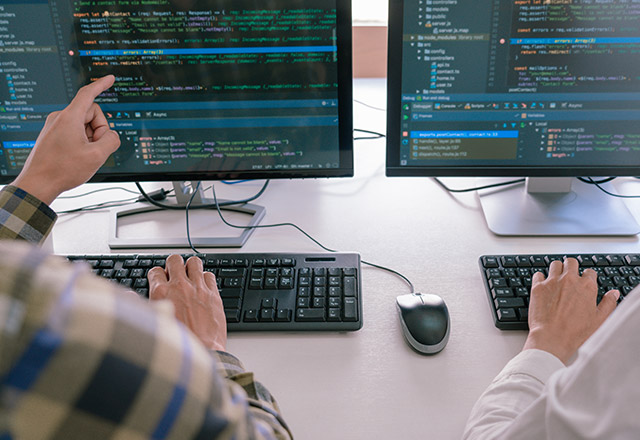
We select an appropriate CMS depending on the projects in order for us to build a system that satisfies your needs.
Appropriate CMS (such as Drupal and Wordpress) depending on the size of your project as well as your needs will be selected. Not only do we develop customized functions and implement interfaces, we are able to integrate various outsourced systems such as MA tools and PIM into the system.
-
03

Lecture
We will explain to you how to update the website step by step.
Manual and information sessions for the site owner on instructing how to update the website will be provided. We also offer post-launch support which includes responding to any of your inquiries.
-
04

Release
Quality assurance testing will be taken place after launching the website.
Along with the process of releasing the website, we make sure that the end user has no issues browsing the website. Together with the people in charge of the project, we cooperate with them to launch the website followed by error checking.
Ore no Drupal
This is a tech blog of Acret Inc.
We will irregularly post contents related to web development and operation, with a focus on Drupal technology.
-
2026/07/16
Twig, Symfony, and the Architectural Shift: Why Drupal 7 Themes Can't Just Be Ported
There's a specific kind of frustration that comes from opening up an old Drupal 7 theme folder, staring at it, and thinking: "surely I can just move this over." The CSS still looks fine. The layout still makes sense. Nothing about the design is wrong. And yet the moment you try to bring it into a current Drupal build, nothing lines up. Templates don't render. Variables come back empty. Things that used to just work now throw errors that don't even look like Drupal errors.
-
2026/06/01
Understanding Drupal’s Entity System: The Secret to Drupal’s Power
If you’ve ever sat down with a Drupal developer, you’ve likely heard the word "Entity" thrown around more than a few times. To someone outside the dev world, it sounds like something out of a science fiction movie or a ghost story. But in the world of Drupal, the Entity System is actually the "secret sauce" that makes the platform so flexible and organized. Think of Drupal not just as a tool to write blogs, but as a giant, sophisticated digital filing cabinet. The Entity System is the logic that decides how those files are shaped, where they are stored, and how they relate to one another.
-
2026/05/08
Understanding Paragraphs, Blocks, and Fields in Drupal — and When to Use Each
Drupal offers several ways to structure and display content, but understanding when to use Fields, Paragraphs, or Blocks can be confusing for beginners. Each tool serves a different purpose, and choosing the right one can greatly improve your site's flexibility, editor experience, and long-term maintainability. In this article, we'll break down the differences between them and explore practical scenarios for using each one effectively.